501, Fifth Avenue, Suite 805 New York, NY 10017
 info@techwize.com
 +1 (949) 887-0154
 TechWize

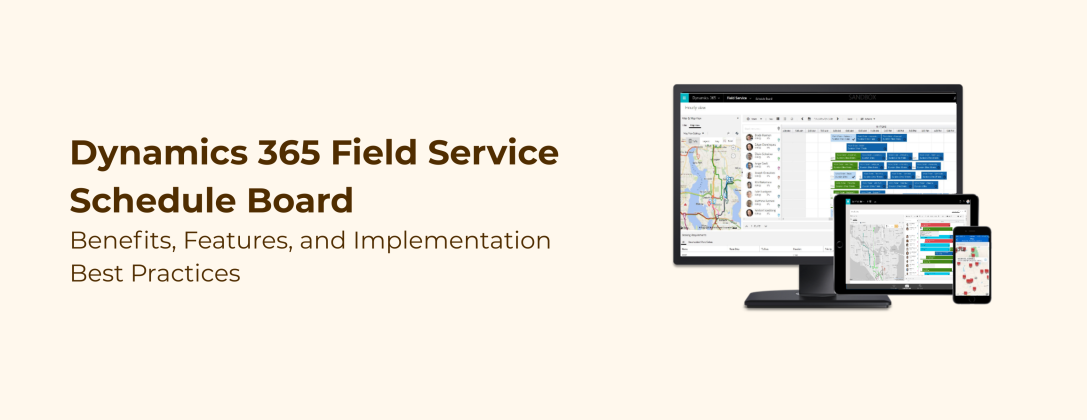
Field service leaders know that scheduling is never just an administrative task. It is the operational engine that decides whether a technician reaches the right site on time, whether a customer's issue gets resolved on the first visit, and whether a business can scale its field operations without scaling its headaches. That is exactly why Microsoft's newest Schedule Board Enhancements for Dynamics 365 Field Service deserve a closer look, not just as a feature list, but as a signal of where Dynamics 365 Field Service Scheduling is heading next.
In this blog, we break down what changed, why it matters operationally, and how organizations can make sure they are actually getting value from these updates rather than letting them sit unused inside the platform.
Why Dynamics 365 Field Service Scheduling Keeps Evolving
Microsoft has been clear that its scheduling roadmap is built on a simple loop: listen to dispatchers and schedulers, learn from the friction they report, and deliver targeted fixes. While bigger innovations like AI-powered scheduling agents get most of the attention, the day-to-day experience of the Schedule Board is where most schedulers spend the majority of their time. Small inefficiencies here compound quickly across hundreds of bookings a week.
The latest round of updates is aimed squarely at that everyday experience. Instead of one large feature, Microsoft has shipped five focused improvements that solve specific, recurring pain points reported by dispatchers, resource managers, and admins.
Schedule Board Enhancements That Change Every Day Scheduling
Move To: Adjusting Multiple Bookings in One Action
Weather delays, customer reschedules, and shifting project timelines often mean several bookings need to move at once. Previously, schedulers had to update each booking individually, a process that was slow and prone to mistakes. With Move To, users can now select multiple bookings using Ctrl+click on a PC or Cmd+click on a Mac, then shift them together by a day, a week, or any consistent offset. This single change removes a significant amount of repetitive manual work from a scheduler's day.
Reassign To: Moving Multiple Bookings to a New Resource
When a technician goes on leave or work needs to be consolidated under a different resource, reassigning bookings one at a time creates unnecessary delay. Reassign To allows schedulers to select several bookings and move them to a new resource in a single streamlined action directly from the Schedule Board. For teams managing large projects or multiple resources across several days, this cuts out a lot of back-and-forth in dense editing panels.
Map View: A Sharper Focus on Location-Based Scheduling
For many dispatchers, the map is not a nice-to-have; it is central to understanding where work is happening and how routes should be planned. The new Map view elevates the map to a primary view option alongside List and Gantt, giving schedulers a cleaner, more focused way to visualize resource locations and plan routes with better context. This is a meaningful step forward for any organization managing Resource Scheduling across wide geographic areas.
Week Numbers on the Schedule Board
Many organizations plan operations around week numbers, such as Week 42 or Week 15, rather than specific date ranges. Without native support, this created constant mental translation between date-based views and week-based planning. Now, week numbers can be displayed directly on the Schedule Board, controlled through existing Dynamics personalization settings, keeping the experience consistent across other Dynamics applications the team already uses.
Partial Cancellation: Editing the Right Part of a Long-Running Booking
Multi-day bookings often need midstream adjustments. A resource might be unavailable for one specific week, or a project might pause temporarily while the rest of the booking stays intact. Partial Cancellation allows users to cancel only the affected portion of a long-running booking instead of cancelling and rebuilding the entire thing. This reduces both administrative overhead and the risk of scheduling errors on complex, long-running engagements.
How These Updates Strengthen Resource Scheduling and Field Service Management
Taken together, these five enhancements are not cosmetic. They directly address the operational cost of manual, repetitive scheduling work, which is one of the biggest hidden inefficiencies in Field Service Management. Fewer manual edits mean fewer data entry errors. Bulk actions mean dispatchers can respond to disruptions in minutes instead of hours. Better map visibility means smarter routing and less fuel and travel time wasted. Week number support means less friction for teams that already plan this way in other parts of the business.
For organizations running Microsoft Dynamics 365 Service at scale, these are the kinds of improvements that show up in measurable ways: faster first-time-fix rates, better resource utilization, and schedulers who spend more time solving real problems and less time fighting the interface.
Why Dynamics 365 Field Service Needs the Right Implementation Expert
Here is the part that often gets missed. New Schedule Board capabilities only create value if they are configured correctly, rolled out with proper training, and aligned with an organization's existing scheduling rules, security roles, and business processes. A feature like Partial Cancellation, for example, needs to be understood in the context of how an organization already handles long-running bookings, invoicing, and resource availability rules. Turning a feature on is easy. Making it work for a specific business, with its own workflows and edge cases, is where most organizations get stuck.
This is exactly why Dynamics 365 Field Implementation Services matter as much as the platform itself. The right implementation approach ensures that new scheduling capabilities are mapped against real dispatch workflows, that historical data and existing bookings transition cleanly, and that end users, not just admins, actually understand how to use the new tools from day one.

Ready to Optimize Your Dynamics 365 Field Service Scheduling?
Ready to put these Schedule Board enhancements to work for your team? Partner with TechWize for expert Dynamics 365 Field Service Implementation Services and turn every update into real scheduling gains. Get started with TechWize today.
Get Started with TechWizeDynamics 365 Field Implementation Services: Getting Configuration Right From Day One
A strong Field Service Implementation typically covers a few critical areas that go far beyond simply enabling a feature toggle:
- Reviewing existing scheduling rules, security roles, and resource pools before introducing bulk actions like Move To and Reassign To
- Configuring the Schedule Board views, including Map view, to match how dispatchers actually plan routes in the field
- Aligning calendar and personalization settings, such as week numbers, across the wider Dynamics 365 environment
- Training schedulers and dispatchers on new workflows so adoption happens quickly instead of gradually
- Testing edge cases like partial cancellations against real business scenarios, not just sample data
Without this layer of implementation expertise, organizations often end up using only a fraction of what the platform offers, or worse, misconfiguring settings in ways that create new problems down the line.
TechWize: Dynamics 365 Field Service Implementation Experts
This is where TechWize comes in. As a Microsoft Dynamics 365 implementation team, TechWize works with field service organizations to translate platform updates like these Schedule Board enhancements into real operational improvements, not just checkbox upgrades. TechWize's team helps businesses assess their current scheduling setup, plan a configuration strategy around new features like Move To, Reassign To, Map view, and Partial Cancellation, and roll out changes with proper training so dispatchers and schedulers can use them confidently from the very first day.
Whether an organization is implementing Dynamics 365 Field Service for the first time or looking to optimize an existing deployment around the latest Schedule Board capabilities, TechWize brings the hands-on implementation experience needed to make sure the platform actually fits the way the business operates, not the other way around.
Read Similar Blog

How AI and Copilot Are Transforming Microsoft Dynamics 365 Field Service in 2026
Explore More Dynamics 365 Insights ⬩➤Conclusion: Start Your Field Service Implementation Today
Microsoft's latest Schedule Board enhancements are a strong reminder that meaningful product improvements do not always come from big, headline-grabbing features. Sometimes the biggest operational wins come from removing friction from the everyday tasks that schedulers and dispatchers repeat dozens of times a day. Move To, Reassign To, Map view, Week Numbers, and Partial Cancellation each solve a specific, real-world problem, and together they represent a meaningful step forward for Dynamics 365 Field Service Scheduling.
The organizations that will benefit the most from these updates are the ones that pair them with the right implementation strategy. If your team is ready to make the most of these enhancements, or if you are still evaluating how Microsoft Dynamics 365 Field Service fits your operations, partnering with an experienced implementation team like TechWize can be the difference between simply having new features and actually using them to run a sharper, faster, more reliable field service operation.